The 2D Plots tab
Advanced Edition
The 2D Plots tab draws the plots a science or engineering course asks for beyond y = f(x): polar curves, parametric curves, data points with error bars, and functions on logarithmic axes: each as a row with its own color, style and examples, with trace, zoom, a legend, axis labels and PNG export. The free Graphs tab already plots y = f(x), relations and inequalities, with sliders that are shared with this tab.
Srivus Plots
For when y = f(x) is not the shape of the answer.
Physics, chemistry and engineering courses ask for pictures that are not graphs of y = f(x): a rose curve, a trajectory, a field of arrows, a surface with its contours on the floor beneath it, the field lines of a magnet, a p orbital. Two tabs draw them.
2D Plots: one row is one plot
A pull-down at the left of each row sets the kind of plot, and each row has its own color,
line style, sample count and range, and its own arrow and marker sizes. A
polar row takes r as a function of theta,
e.g., cos(3*theta) is a three-petaled rose, and the angle is read in whatever
mode the DEG / RAD button is in. A parametric row
takes a pair such as [cos(3*t), sin(2*t)]. A
data row takes points, with error bars or as bars. An
ordinary y = f(x) row can
be put on logarithmic axes, one or both.
The other five kinds draw a whole plane from the same box. Density maps show z as color, contour maps draw its level curves, and vector fields draw the arrows, or the streamlines through them. Each streamline is followed until it leaves the window, arrives where the field vanishes, or returns to where it began. Slope fields draw the slope marks, and a phase portrait traces trajectories together with their nullclines. On a slope field or a phase portrait, type a starting point into the row and press Add to draw the solution through it. Alternatively, tick Click adds a solution, and every click on the plot starts a solution at the point you clicked.
Everything the free Graphs tab has is here as well: Trace, zoom and pan, a legend, axis labels, equal aspect, and saving the plot as a PNG. Auto-fit chooses a window that shows every visible row, and that is how both curves came to fit in the picture beside this. Sliders are shared across all three plotting tabs, so a slider named a drives every a you have written.
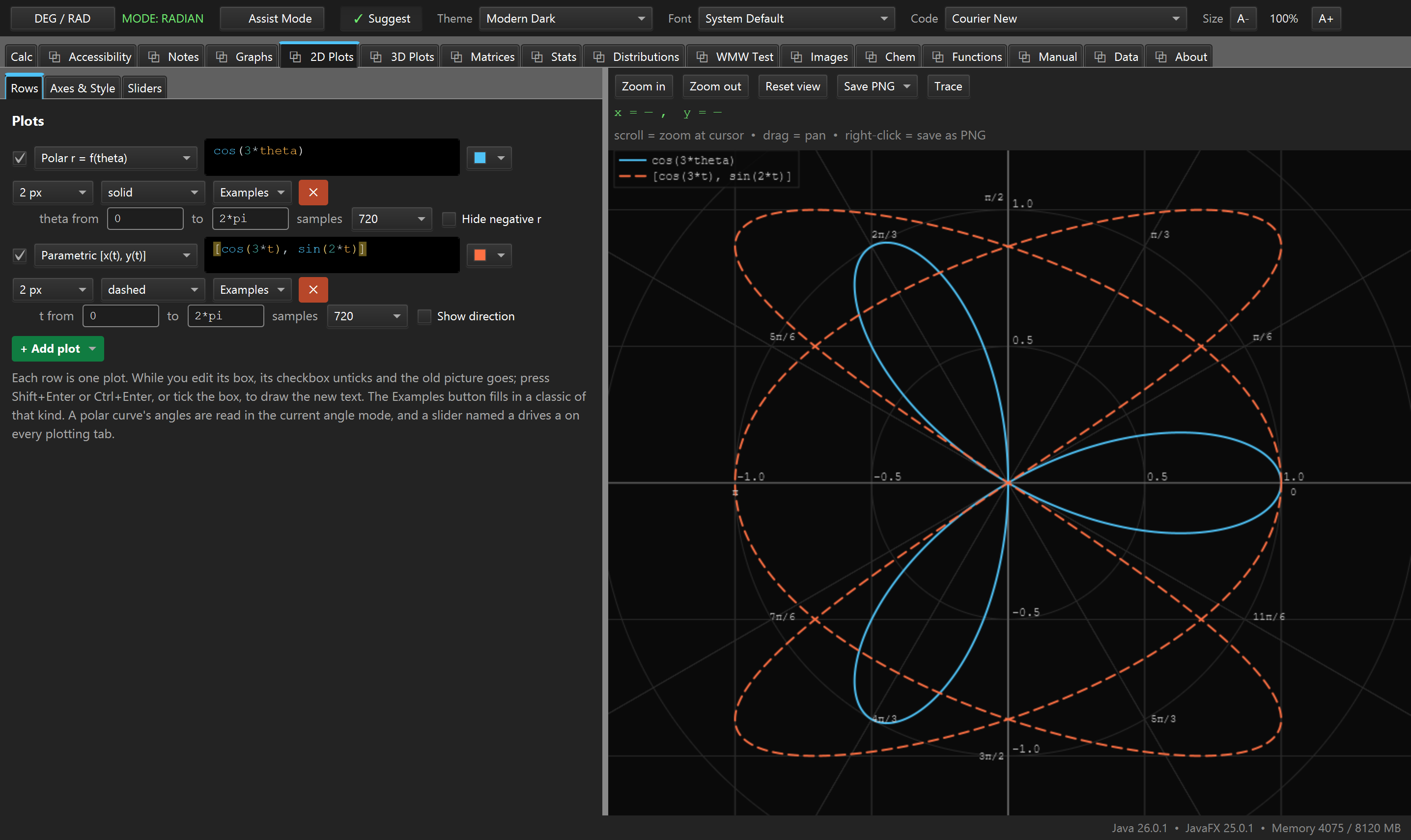
plots-2d.png2D Plots, a polar row and a parametric row on the same grid, auto-fitted. See SCREENSHOT-BRIEF.md, Part B.