The Graphs tab
In both editions
Plot one or more curves, add relations and inequalities, and drag sliders that change the curve as you watch.
Graphs you can shade, drag and question
Students can plot curves with expressions or equations, shade regions with inequalities, and use sliders to see how changing a parameter affects these geometric objects in real time. I also designed the graphing system with accessibility in mind: different curves are distinguished not only by color, but also by distinct line and dash patterns.
A graph should also answer questions, so three readouts are built in. Trace moves along a curve and reports its coordinates; Intersect finds where two curves cross; Table of values lists the visible curve as a column of x and y. The readouts always refer to the curves on screen: change an expression and the numbers change with it.
A reading also stays on screen once you have it. You can move the pointer off the plot (to write the number down, or to reach the control beside it) and the last point you were on is still shown. It is cleared only when something that would change it changes, e.g., panning the window or editing the curve. Every plot in the program behaves this way and prints its reading at the same size, so what you learn on the Graphs tab applies to the 2D Plots, 3D Plots, Stats, Distributions and Chem plots as well.
Curve fitting is not limited to a line of best fit. Data can be fitted as a straight line,
a polynomial, an exponential, a power law or a logarithm, namely linearFit,
polynomialFit, exponentialFit, powerFit and
logarithmicFit. Each result records which kind of curve was fitted,
so the same fitValue works on any of them.
The points lie exactly on y = 2x, so the slope is 2, the intercept is 0 and the fit is perfect. The result is an ordinary dictionary, so any part of it can be taken out and used.
The graph also marks the holes. A function can have no value at exactly
one place, e.g., sin(x)/x at zero or (x-1)*(x+1)/(x-1) at one.
Such a place is far narrower than a pixel, so the graph locates it by reading your formula.
A hollow circle marks the height the curve approaches but never reaches, as a textbook
draws it, and it stays in place when you pan or zoom. Point Trace at one of these and the
readout gives y = NaN together with the value the curve approaches. This is
the same answer the calculator gives for 0/0, so the graph and the terminal agree. Where
the place cannot be worked out exactly, nothing is drawn; the picture shows only what the
calculator can compute.
In a cell, the square root of a negative number is the imaginary unit, i.e., a complex number. On a graph the same value is NaN (not a number), so the curve stops there.
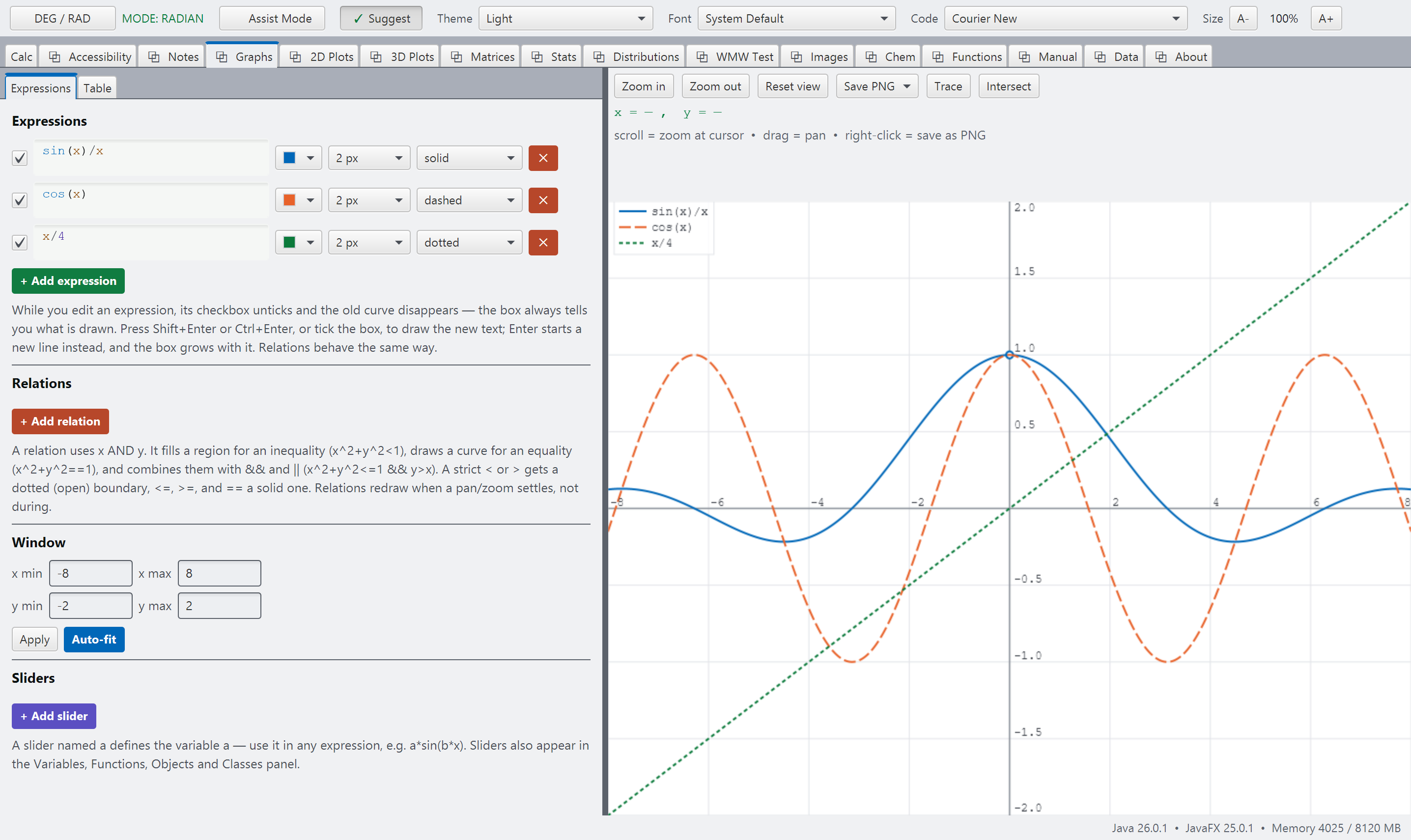
graph.pngGraphs: two or three curves, ideally one with a removable hole in it.
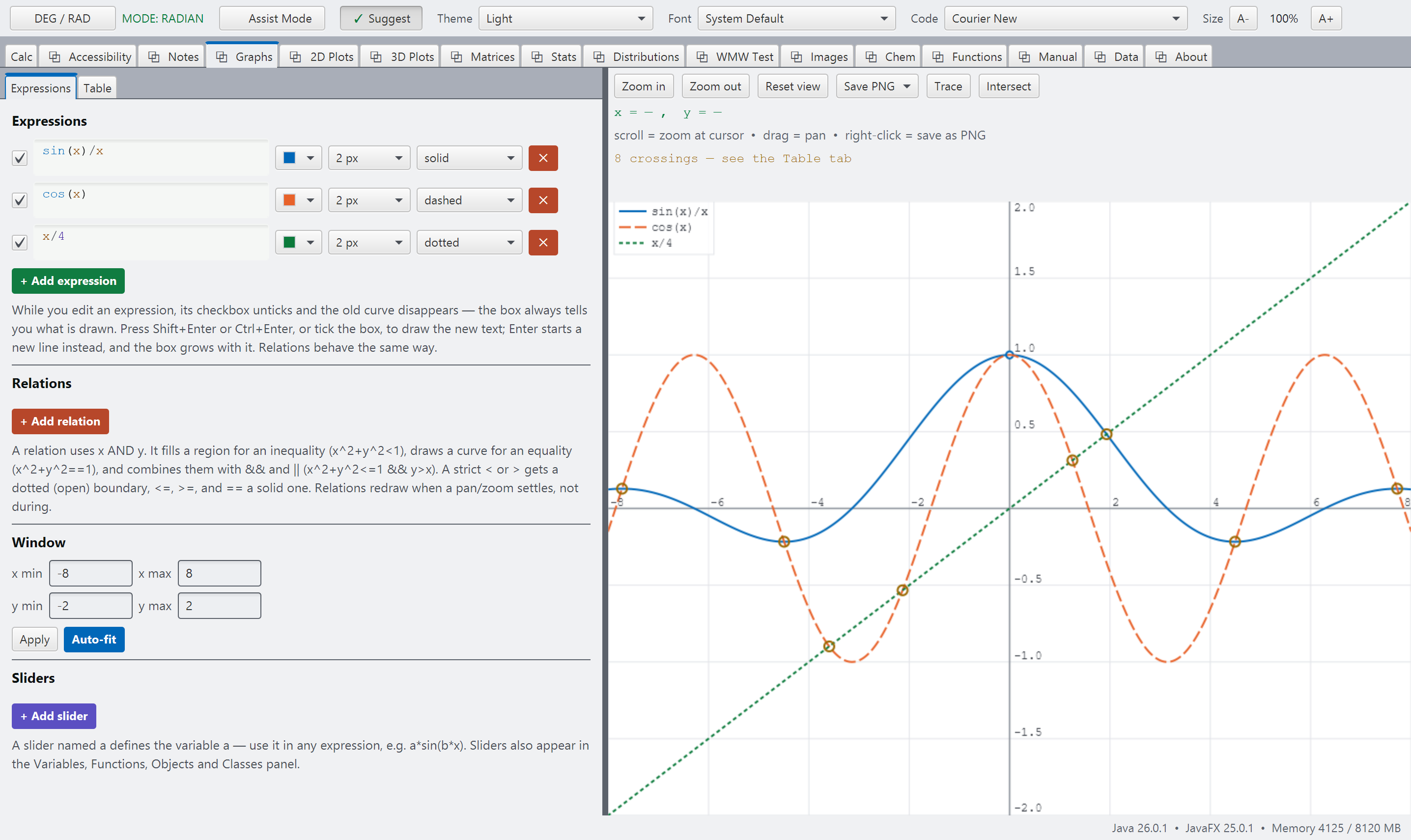
graph-readouts.pngGraphs, Trace or Intersect open, with the numbers visible beside the plot. See SCREENSHOT-BRIEF.md, Part B.