The 3D Plots tab
Advanced Edition
The 3D Plots tab draws surfaces z = f(x, y), parametric surfaces such as a sphere or a torus, solids of revolution, and space curves such as a helix, in a box you can turn with the mouse or the arrow keys: shaded, colored by height, as a wireframe, or see-through: with view presets, perspective, a walk-along readout and PNG export. The same sliders drive every plotting tab.
3D Plots, and you can turn the picture round
Surfaces z = f(x, y)
are the first row kind, colored by height with a scale beside them.
Parametric surfaces take three expressions in
u and v. A sphere or a torus is drawn this way. A
solid of revolution spins
y = f(x) about the axis, so the volume a calculus class
integrates can be seen on screen. A space curve takes
a triple in t, e.g., [cos(t), sin(t), t/4] is a helix.
Implicit surfaces are written as an expression
that equals zero on the surface, e.g., x^2 + y^2 + z^2 - 1 is the unit sphere.
This is how you draw a shape that cannot be solved for z. Finally, plain
data points in space can be plotted.
Two kinds are there for chemistry and physics. An
orbital row takes a wavefunction, e.g.,
z*exp(-r/2) is a 2p orbital (in this row, r is the distance from the
origin). It draws the surface inside which the electron spends most of its time, in one
color where the wavefunction is positive and in another where it is negative, since
bonding depends on the sign. Tick Cut away and choose the Front preset to see the
nodes inside a 2s or a 3p orbital as the textbook draws them, or draw the same orbital as
an electron cloud. The Examples menu carries the hydrogen orbitals from 1s to 4f. A
three-dimensional vector field
[P, Q, R] fills the box with arrows, and a point typed at the end of the row
is followed both ways along the field line through it.
Stream tubes draw those field lines as solid
tubes, seeded around the center for you. This is the picture of a magnet found in every
physics textbook, and the Examples menu has a dipole, a bar magnet, a straight wire, two
wires, and Earth's tilted field.
Drag the picture to turn it, scroll to zoom, or use the Left / Right / Up / Down buttons and the arrow keys. There are camera presets, a perspective switch, and a Walk mode. A surface can be drawn filled, as a wireframe, as both, or smooth with no mesh showing. It can be made see-through, or drawn with its contours on the floor of the box beneath it. The picture shows the latter: the same function read as a surface and as its level curves at once. Lighting shades the whole picture, and you choose the direction of the light and the strength of the shading. Right-click saves the picture as a PNG, as everywhere else in the program.
The picture is drawn by the program itself and does not depend on the graphics card. Therefore, it works the same on a fifteen-year-old laptop in a computer lab as on a new machine.
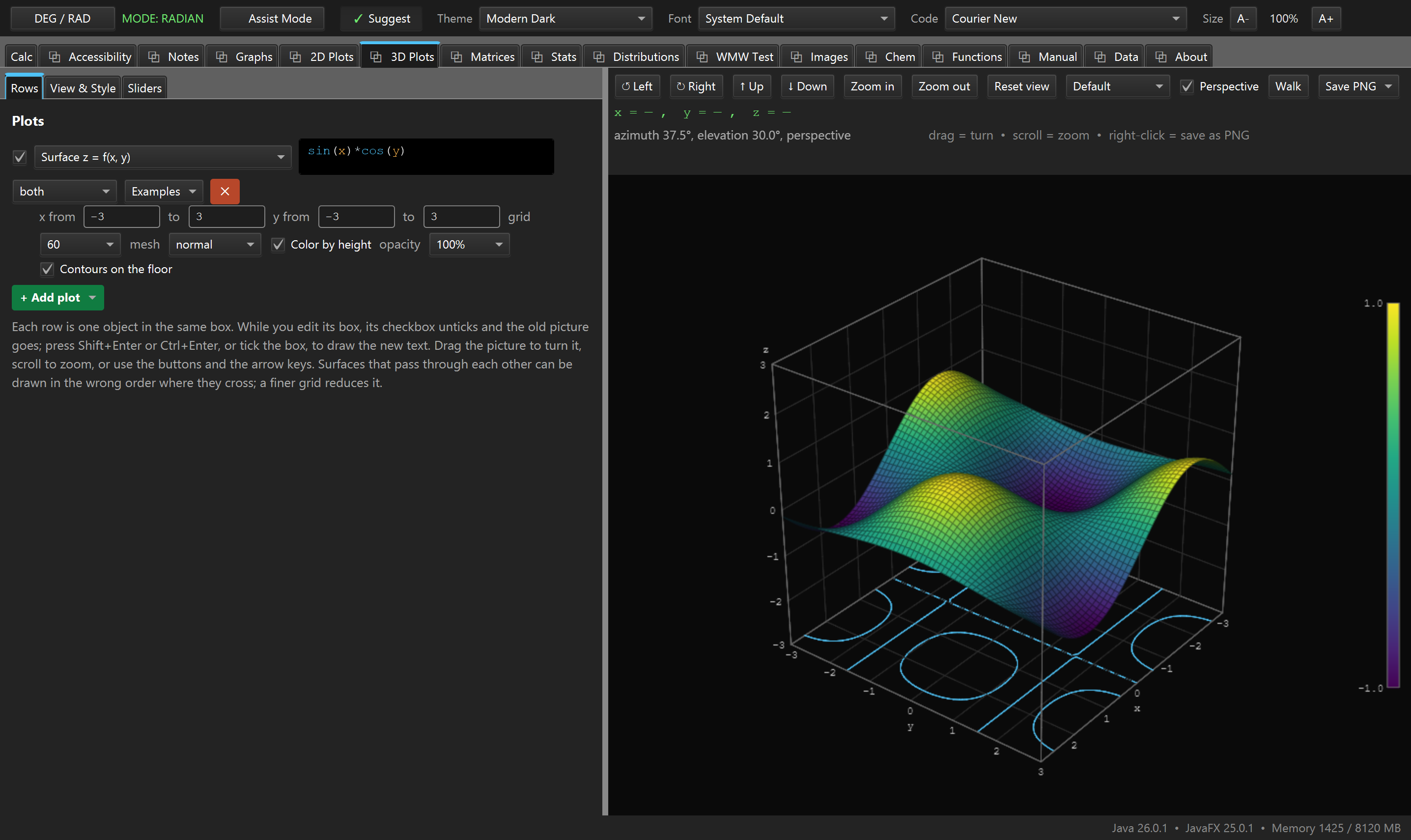
plots-3d.png3D Plots, a surface colored by height with contours on the floor. See SCREENSHOT-BRIEF.md, Part B.
sin(x)*cos(y), and the rings on the floor are its level curves, drawn from the same row.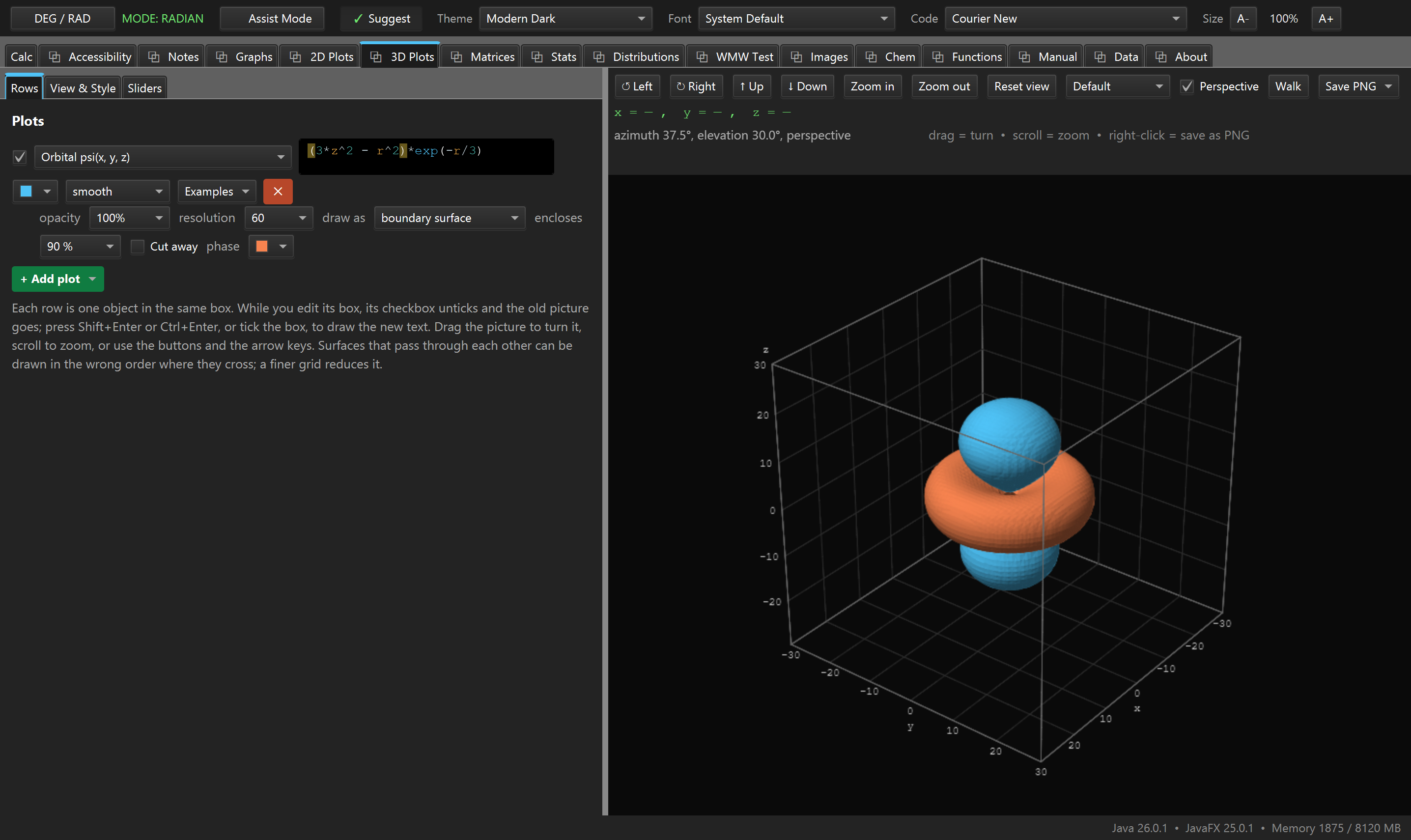
plots-orbital.png3D Plots, an Orbital row on the 3d_z^2 entry of the Examples menu, both phase colors showing. See SCREENSHOT-BRIEF.md, Part B.
(3*z^2 - r^2)*exp(-r/3), taken from the Examples menu.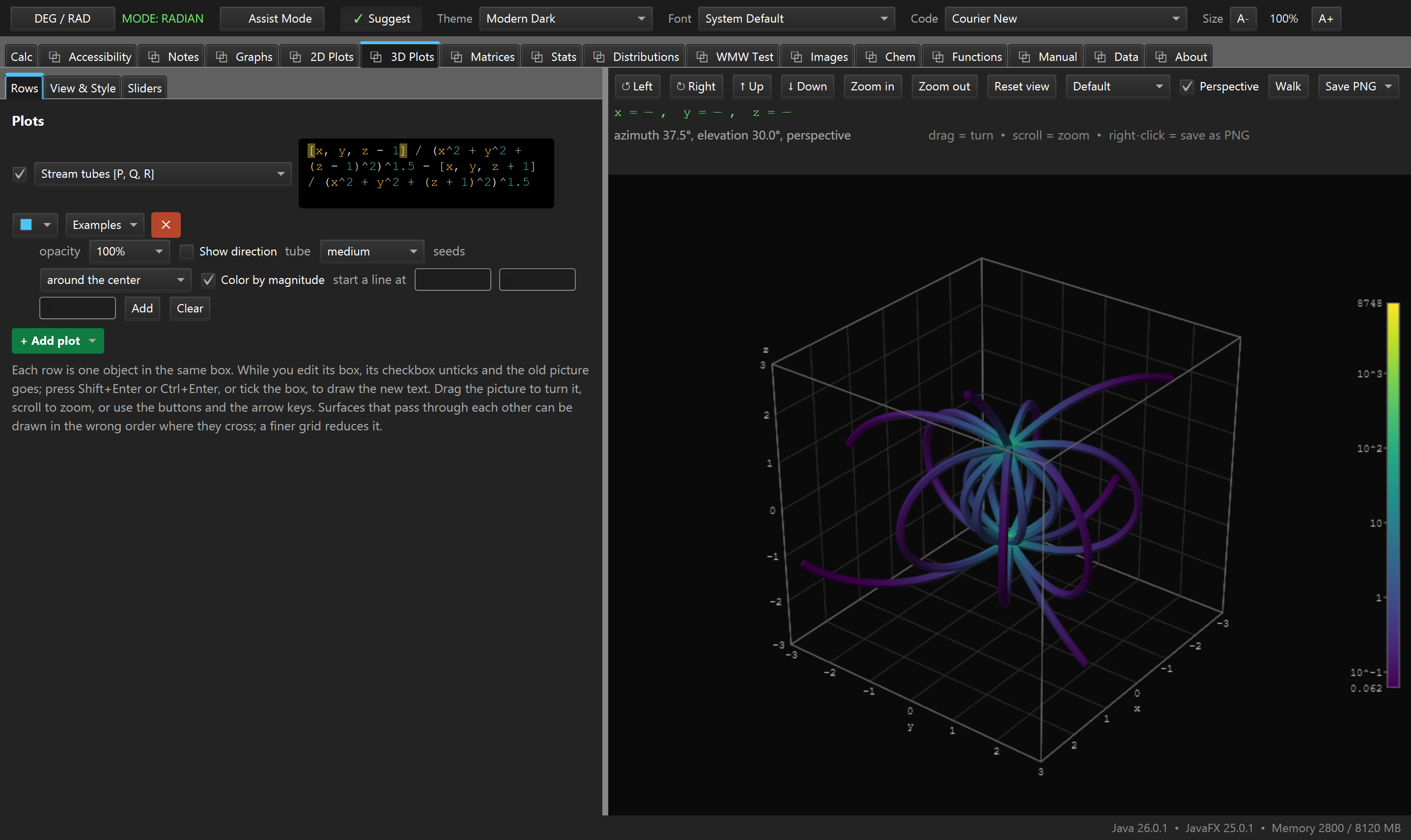
plots-magnet.png3D Plots, a Stream tubes row on the bar-magnet example with Color by magnitude ticked. See SCREENSHOT-BRIEF.md, Part B.