The Matrices tab
Advanced Edition
The Matrices tab is a point-and-click grid for determinants, inverses and linear systems up to 8 by 8. Set the size, type the entries, press a button. Cells take any expression you could type in a calc cell, complex numbers included. The same matrix algebra is already available inline: type [[1,2],[3,4]] and use det, inv, transpose and solve in any cell.
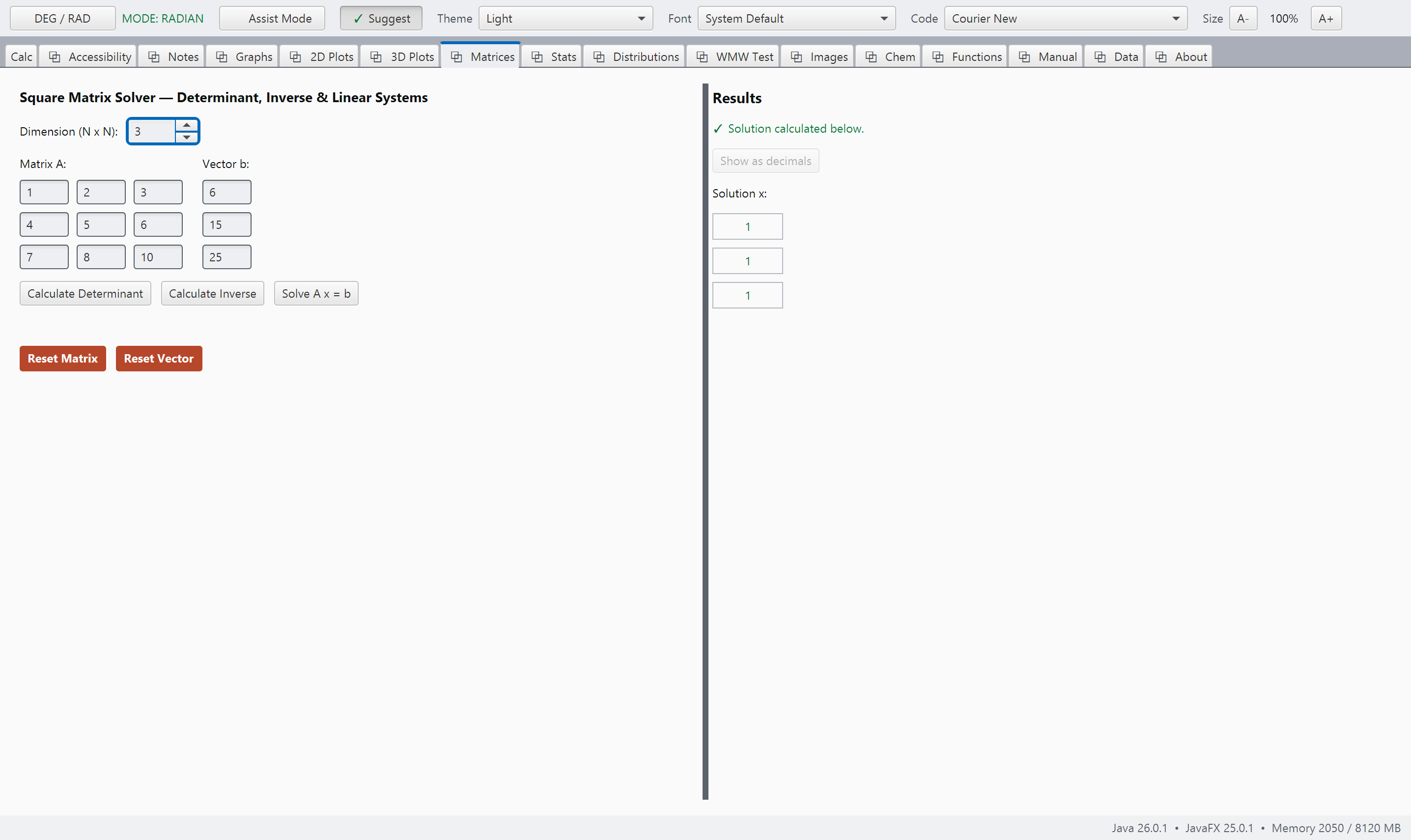
matrices.pngMatrices, a matrix entered and a real operation done on it.
Typed in, answered back
Every example here has been run and tested.
These are not merely illustrations; they are carefully verified examples drawn directly from the system's own reference. Every example is automatically tested, and the build will stop if even one result has changed unexpectedly. That gives us something important as teachers and scientists: a reliable connection between what we see in the manual and what the system actually does. When an example is included here, you can trust that it has been tested and works as described.
Matrices are just brackets
Two simultaneous equations are solved as a linear system. There is no special matrix type to learn first.
Complex numbers, everywhere
A quarter-turn rotation leaves no direction pointing where it started, so its eigenvalues cannot be real.