The Distributions tab
Advanced Edition
The Distributions tab draws the normal, t, chi-squared and F densities and the tail areas a critical value cuts off, with a movable line. The underlying lookups standardNormalInverseCDF, studentTValue, chiSquareValue and fValue already work in any cell.
Srivus Stats
Statistical thinking, made visible and meaningful
Abstract ideas become patterns you can see, explore, question, and understand.
In AP Statistics, the traditional use of printed statistical tables is really a legacy of an earlier era, when calculators and computers could not provide the precision and flexibility we have today. Tables were a practical solution to the limitations of the time, requiring students to work with a small set of rounded values rather than the underlying probability distribution itself. Today, we can move beyond that constraint. By working directly with a statistical plot, students can see significance levels, critical regions, and cumulative probability functions as parts of the same mathematical picture. Instead of searching for a rounded value in a table, they can explore the distribution, observe how probabilities change, and understand why a particular result is significant. The goal is not simply to replace a table with a graph. It is to replace a lookup procedure with understanding: using the greater precision and computational power available today to make statistical reasoning more visible, intuitive, and meaningful.
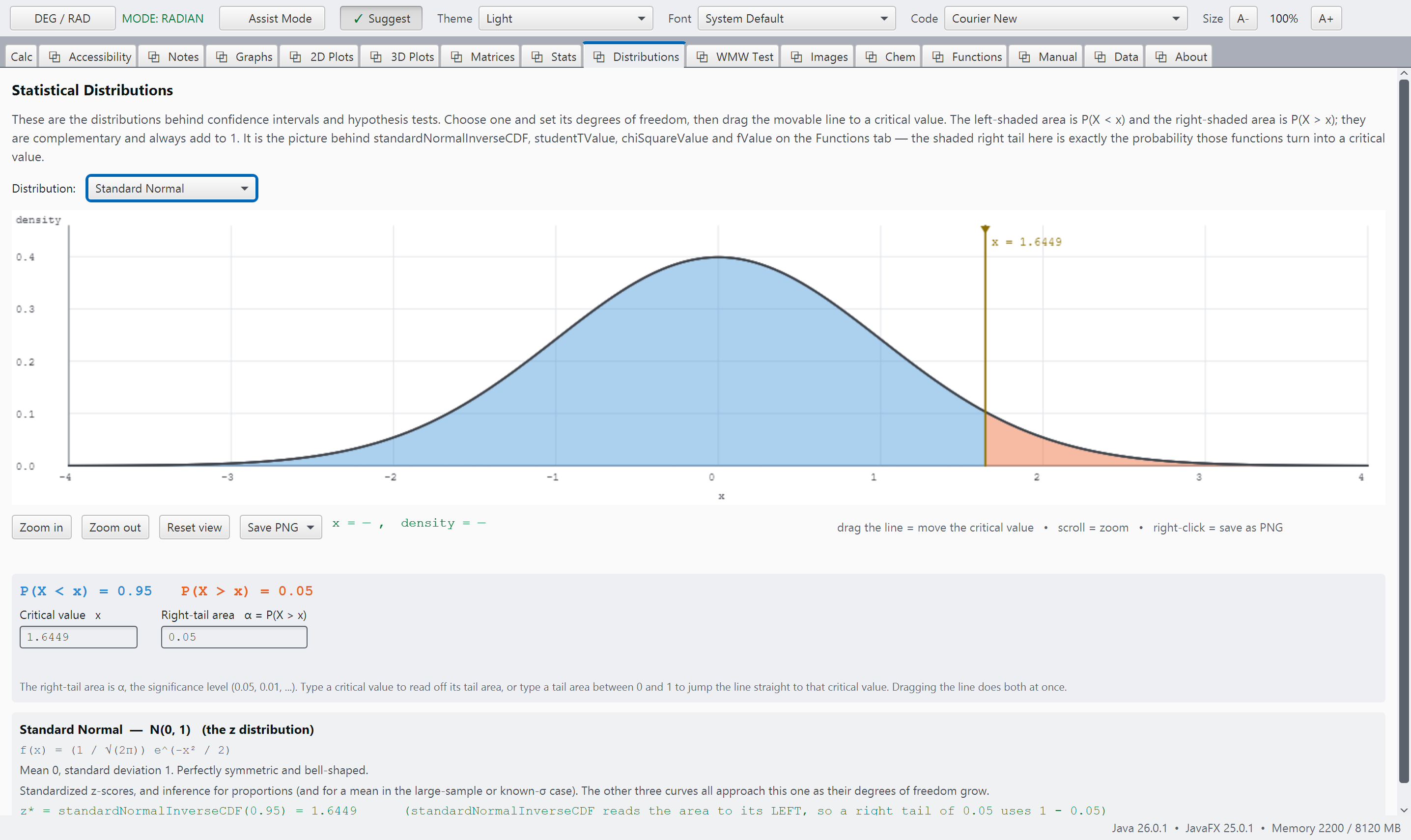
distributions.pngDistributions, a distribution with its curve drawn and a probability computed.
standardNormalInverseCDF(0.95), the 1.6449 an AP Statistics student meets first.
The tab is in the Advanced Edition, but the statistical distribution functions are in both.
chiSquareValue(10, 0.01) works in a cell in the free Basic Edition too.