The Data tab
In both editions
SI units and prefixes, the Greek alphabet, conversion factors, and curated constants from physics to the planets. Click any value and it copies the expression that produces that number in a cell.
Data tab
Reference values, each one click from the expression that produces it.
A tab of curated scientific reference values. It is free in both editions, like the chemistry data beside it.
Eighteen pages: the SI base and derived units and the seven defining constants, the SI prefixes, the Greek alphabet, conversion factors, eight pages of formulas (Math, Physics, Chemistry and Statistics, each at an introductory and an advanced level), and then Physics, Chemistry, Biology, Astronomy & Cosmology, and Earth Science & Geology. A search box at the top takes you to the row that holds the answer.
Click a value to copy the expression that produces it
Click a row (or Tab to it and press Enter), and the expression that produces the number is placed on your clipboard, ready to paste into a cell and calculate with. Larger entries, namely the planets, the moons, the star classes, the Sun, water and air, are shown as tiles. Open one and every value inside it copies the same way.
What is shown and what is copied always agree, since a displayed value is computed through the same path as the expression and formatted by the same formatter a cell uses. A reference table whose printed number differs from the number you get when you use it would be worse than no table at all.
The tab is one way of finding these values, and the language is where they are used. A student who never opens the tab can still type them, and a student who never types can still read the tab.
The formula pages take the same idea one step further: every formula on them is also a calculation. Click the row, paste the expression into a cell, change the numbers, and it gives the answer.
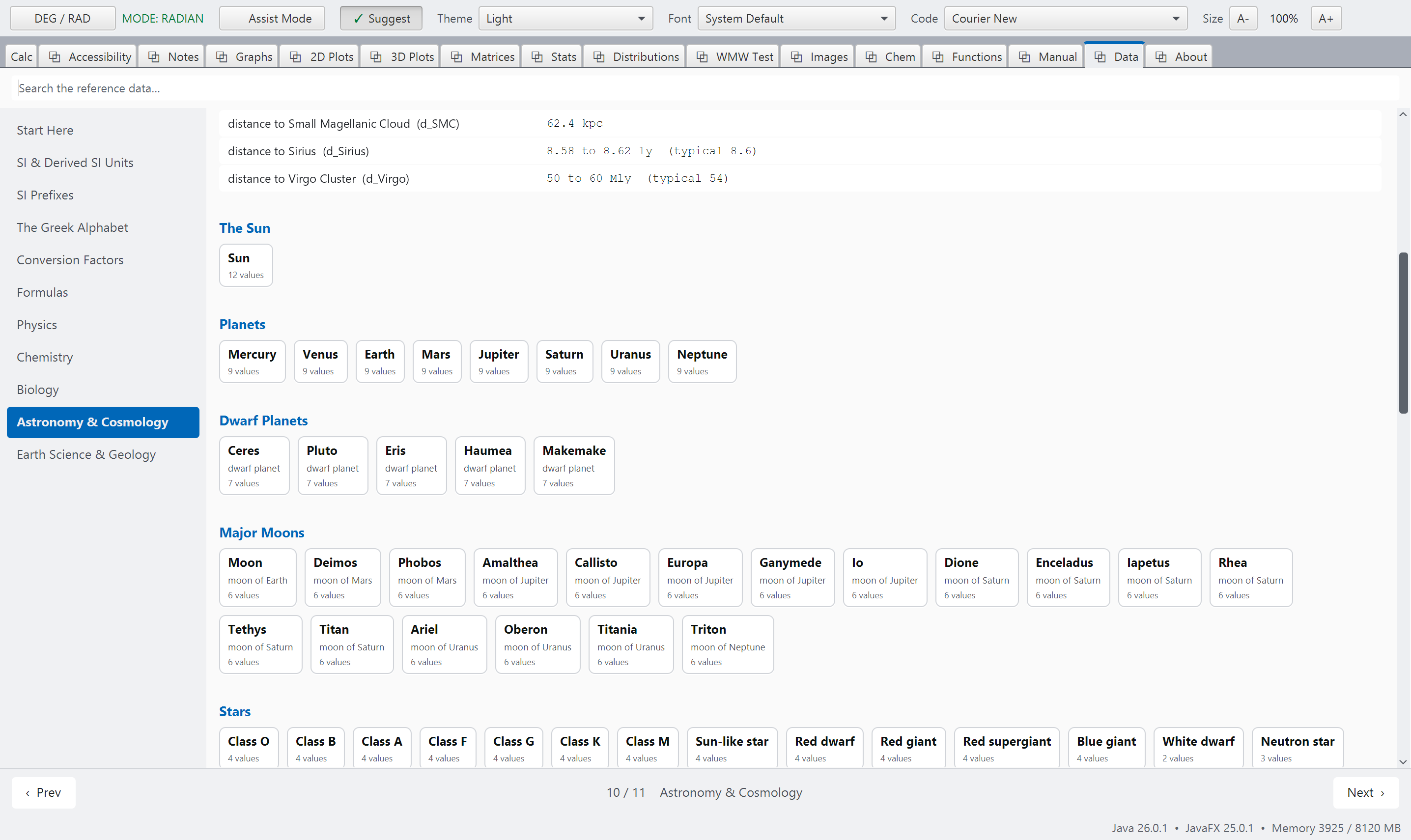
reference-data.pngData, a page of rows with a tile pop-up open beside it. See SCREENSHOT-BRIEF.md, Part B.
In both editions
Every symbol defined, and when the formula holds
A formula is useful only when you know what each letter stands for and when the formula holds. Every formula row has a Symbols button. It opens a list under the row: each symbol in the formula with its meaning and, on the physics and chemistry pages, its SI unit. Under the symbols are the conditions under which the formula holds, and then its special and limiting cases (e.g. what the formula becomes at a right angle, or at low speed).
The search box reads these lists as well. Type a word from the meaning of a symbol or from a condition, and the formulas that mention it are found.
A formula row may also have a Context button, the first of its buttons. It opens an illustrative context under the row: the situation that leads to the numbers in the row's example, what each number is, what the result shows, and one change to try. For example, the numbers of the hypergeometric distribution's example become a shipment of 30 parts, 10 of them from a recalled batch, and an inspection of 5 parts drawn at random. A screen reader reads the whole context, and the search box reads the contexts as well.
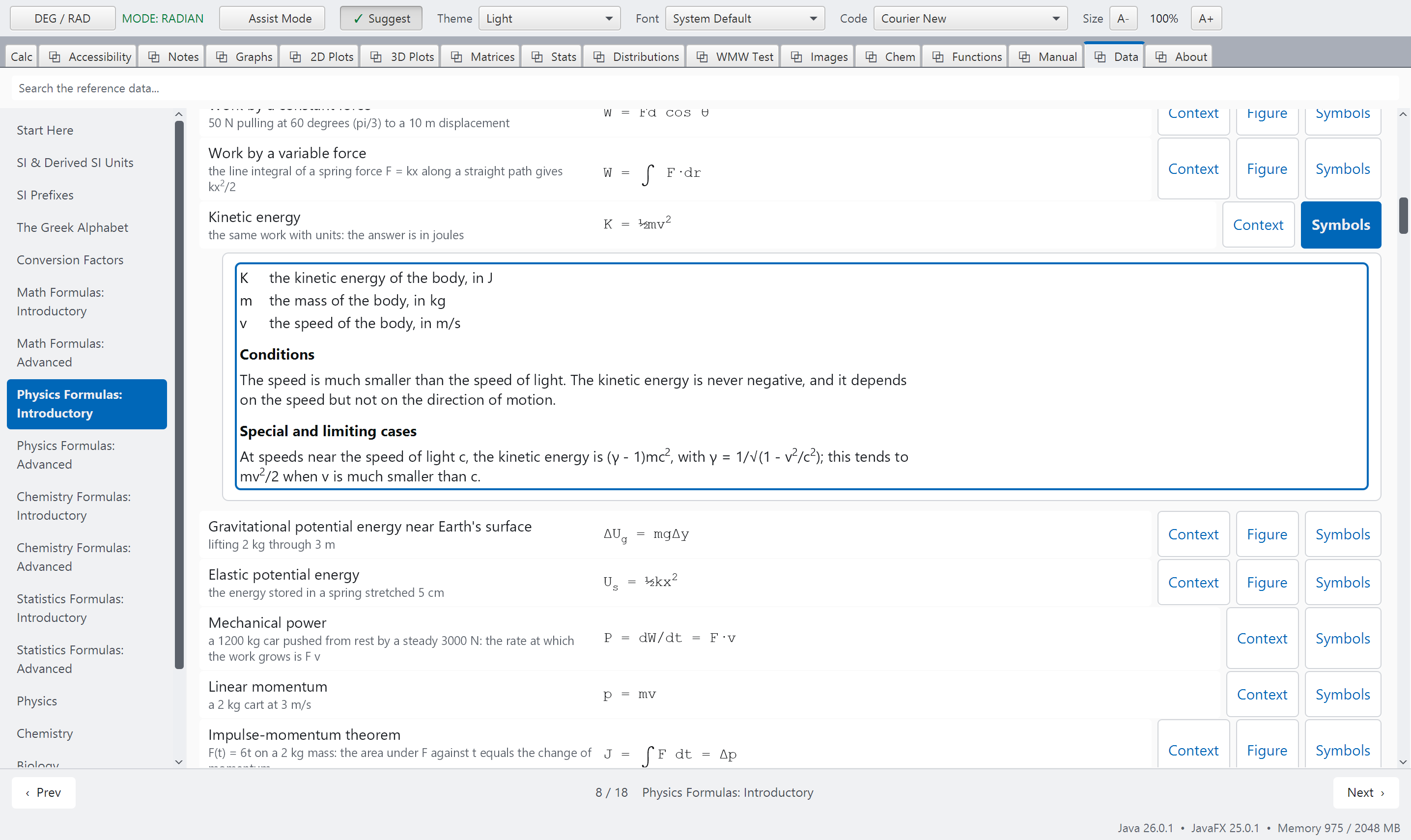
formulas-symbols.pngA formula page of the Data tab with one row's list of symbols open. See SCREENSHOT-BRIEF.md, Part B.
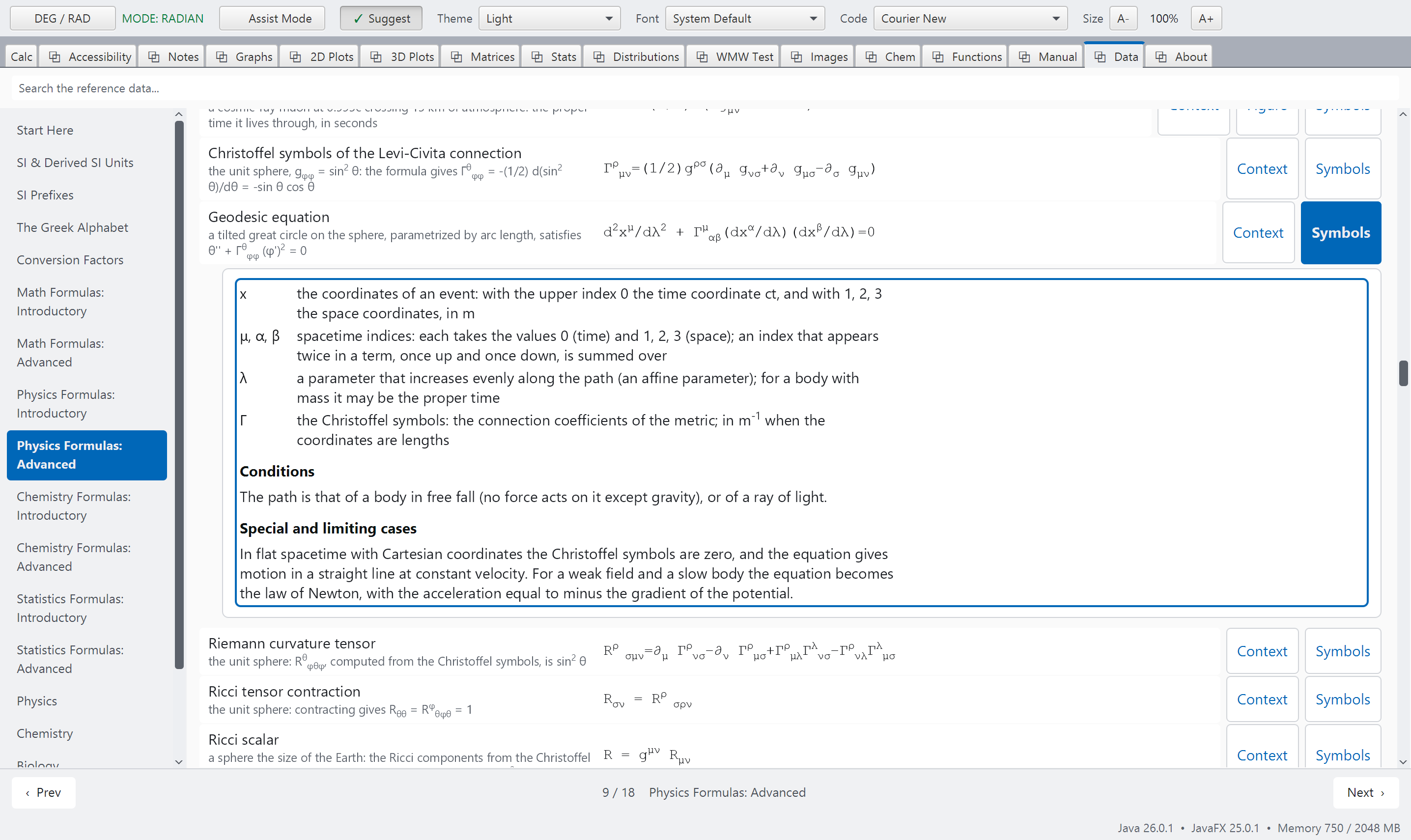
formulas-symbols-advanced.pngA formula page of the Data tab with one row's list of symbols open. See SCREENSHOT-BRIEF.md, Part B.
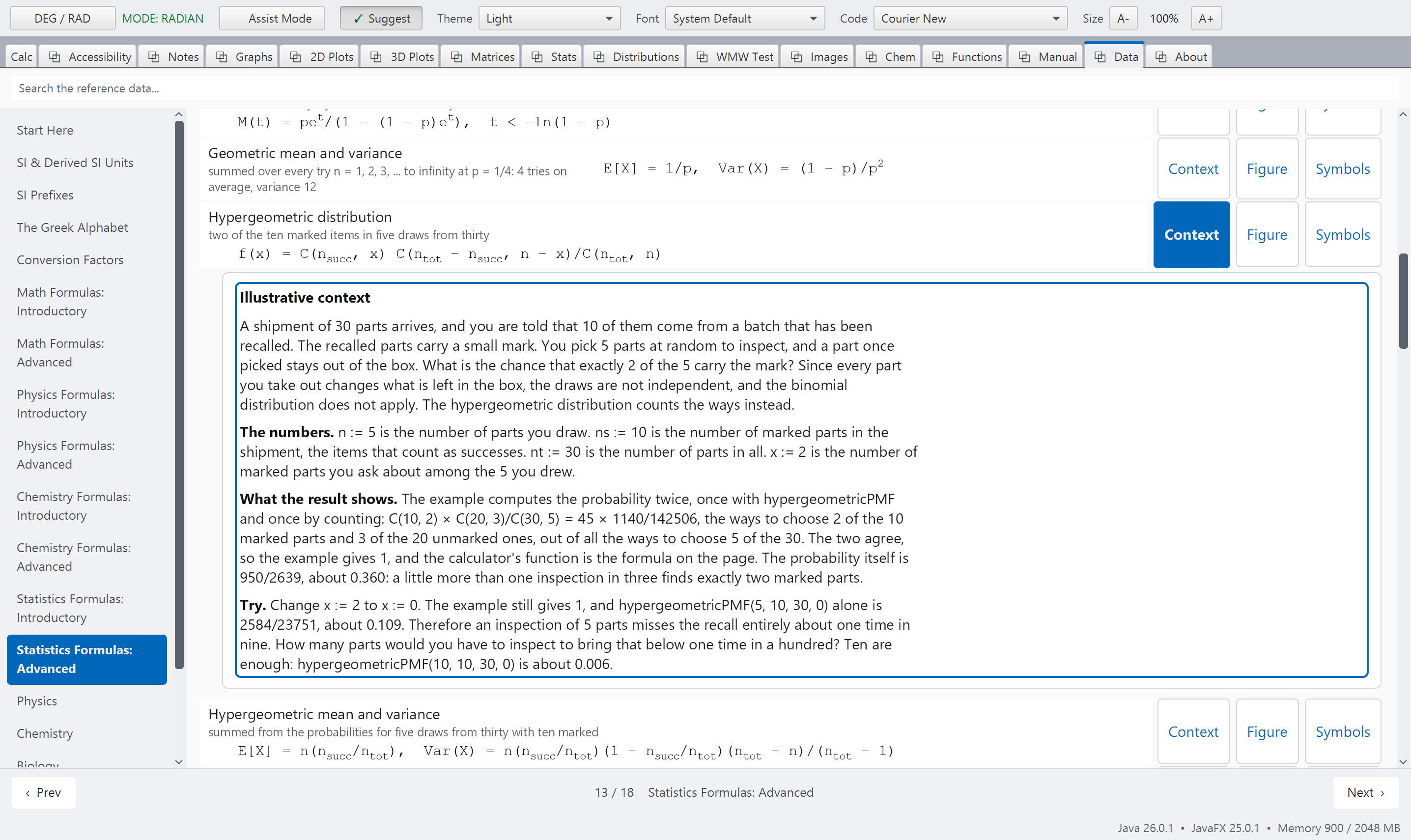
formulas-context.pngA formula page of the Data tab with one row's illustrative context open. See SCREENSHOT-BRIEF.md, Part B.
In both editions
Formulas with their figures
Some formulas are hard to use without a figure. Which angle is theta? Which direction is positive? Which resistors are in series? On the formula pages, a formula that needs a figure has a Figure button in its row, beside the Symbols button. Click the button and the figure opens directly under the row. Below the drawing, a legend explains each symbol in words. The figure is drawn in the colors of your theme, and it grows when you make the text larger.
Some formulas are easier to understand as a curve. For these, the figure is a graph that you can change: each quantity has a slider and a box where you can type a value, and a table of values is given under the graph. If you would like to keep working with the curves, click Open in Graph Canvas and they are added to the Graphs tab, next to the curves you already have. Note that the sliders belong to the graph. They do not change any variable of yours.
You can do all of this from the keyboard. Use the arrow keys to move from row to row, press Right to reach the buttons of a row, press Enter to open a figure or a list of symbols, and press Esc to close it. If you use a screen reader, each drawing has a written description, the description of a graph is updated whenever you move a slider, and a list of symbols is read out in full.
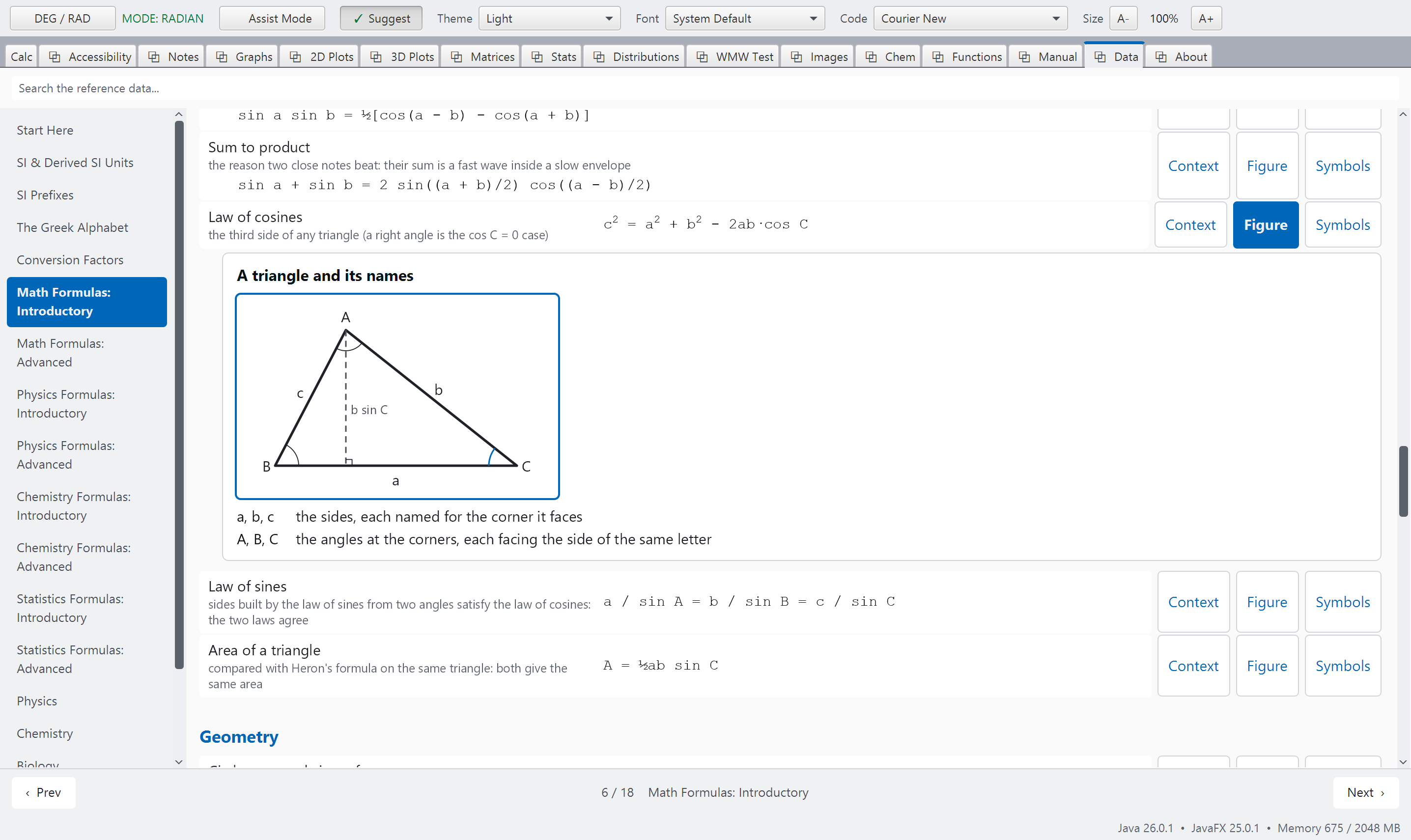
formulas-math.pngA formula page of the Data tab with one row's figure open. See SCREENSHOT-BRIEF.md, Part B.
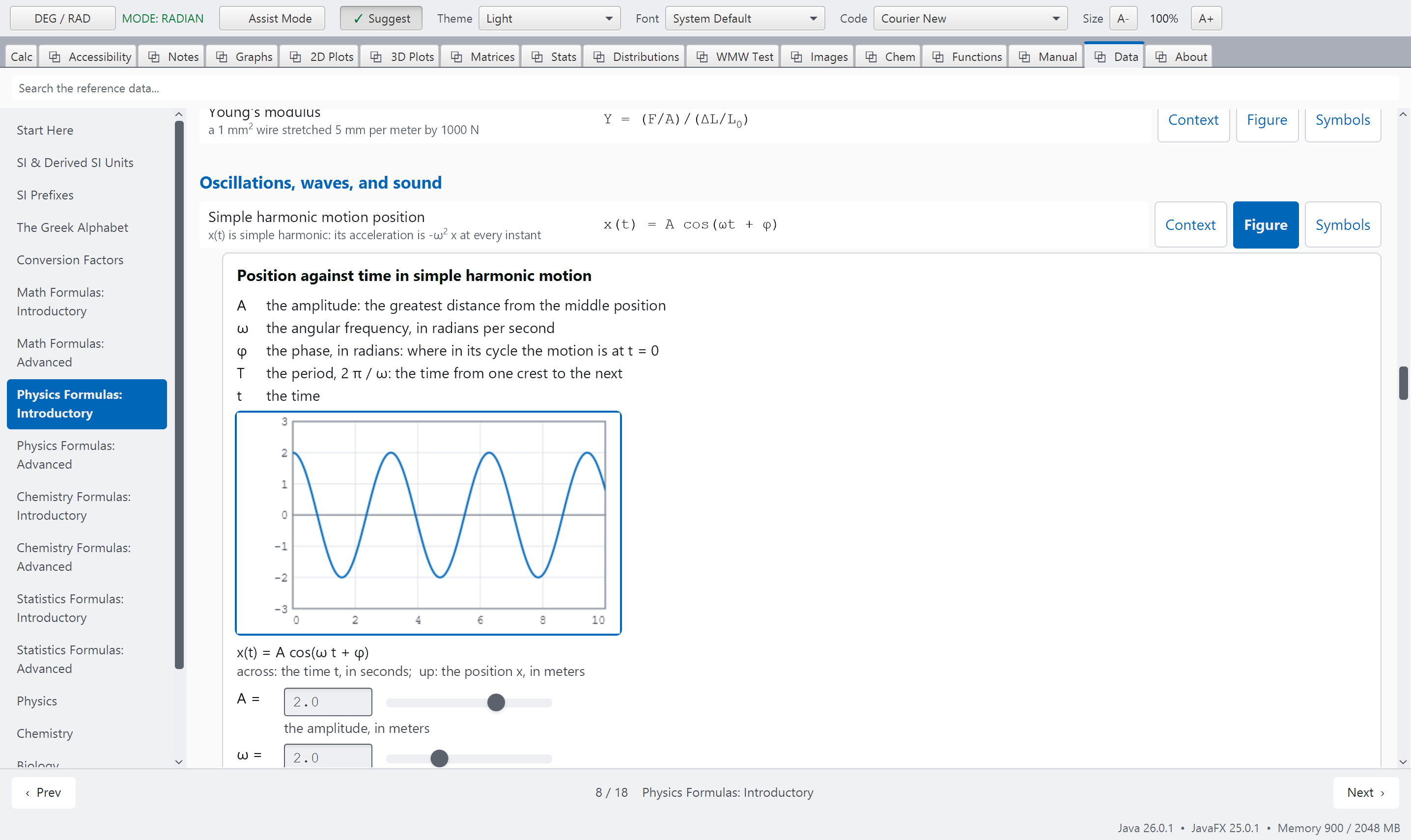
formulas-physics.pngA formula page of the Data tab with one row's figure open. See SCREENSHOT-BRIEF.md, Part B.
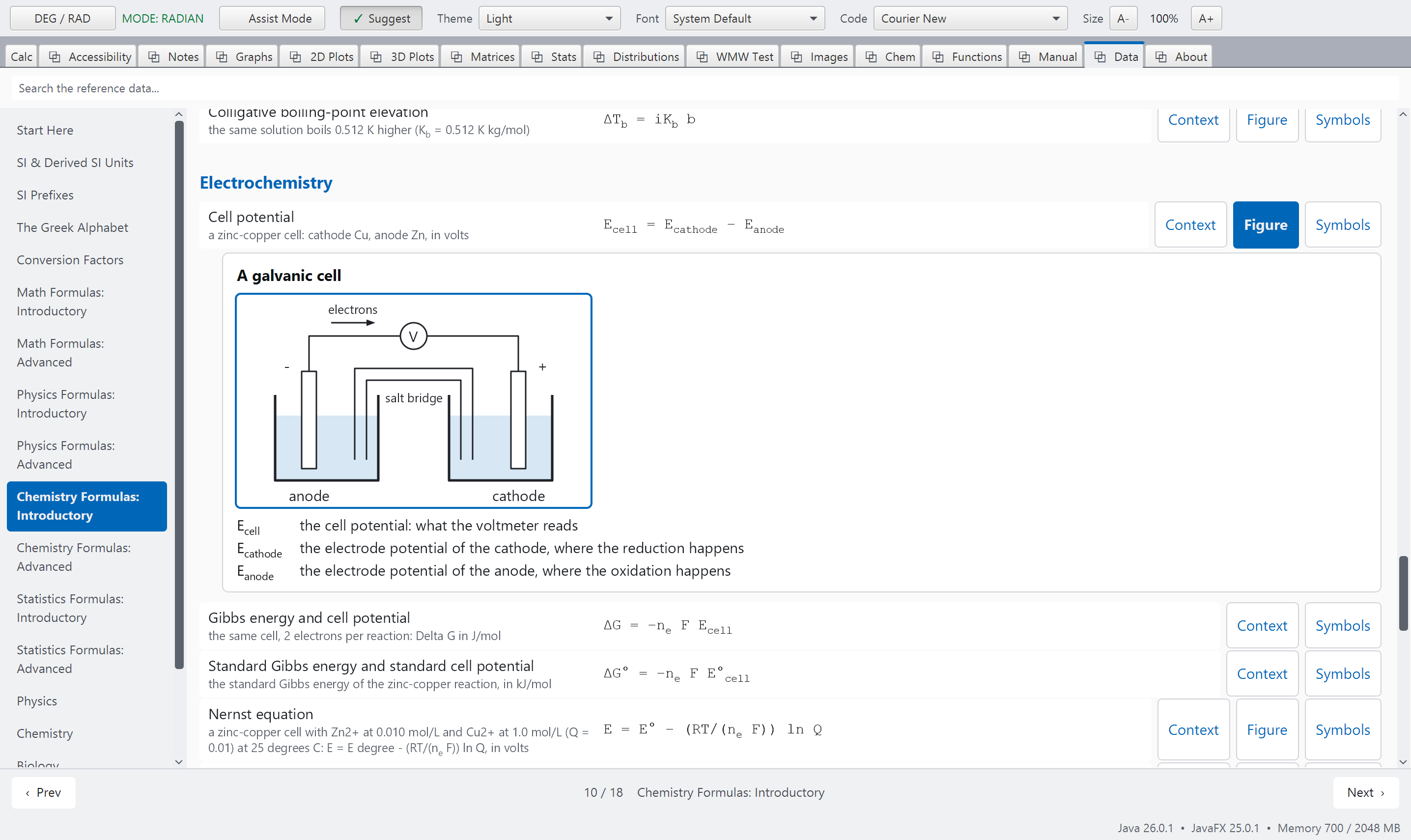
formulas-chemistry.pngA formula page of the Data tab with one row's figure open. See SCREENSHOT-BRIEF.md, Part B.
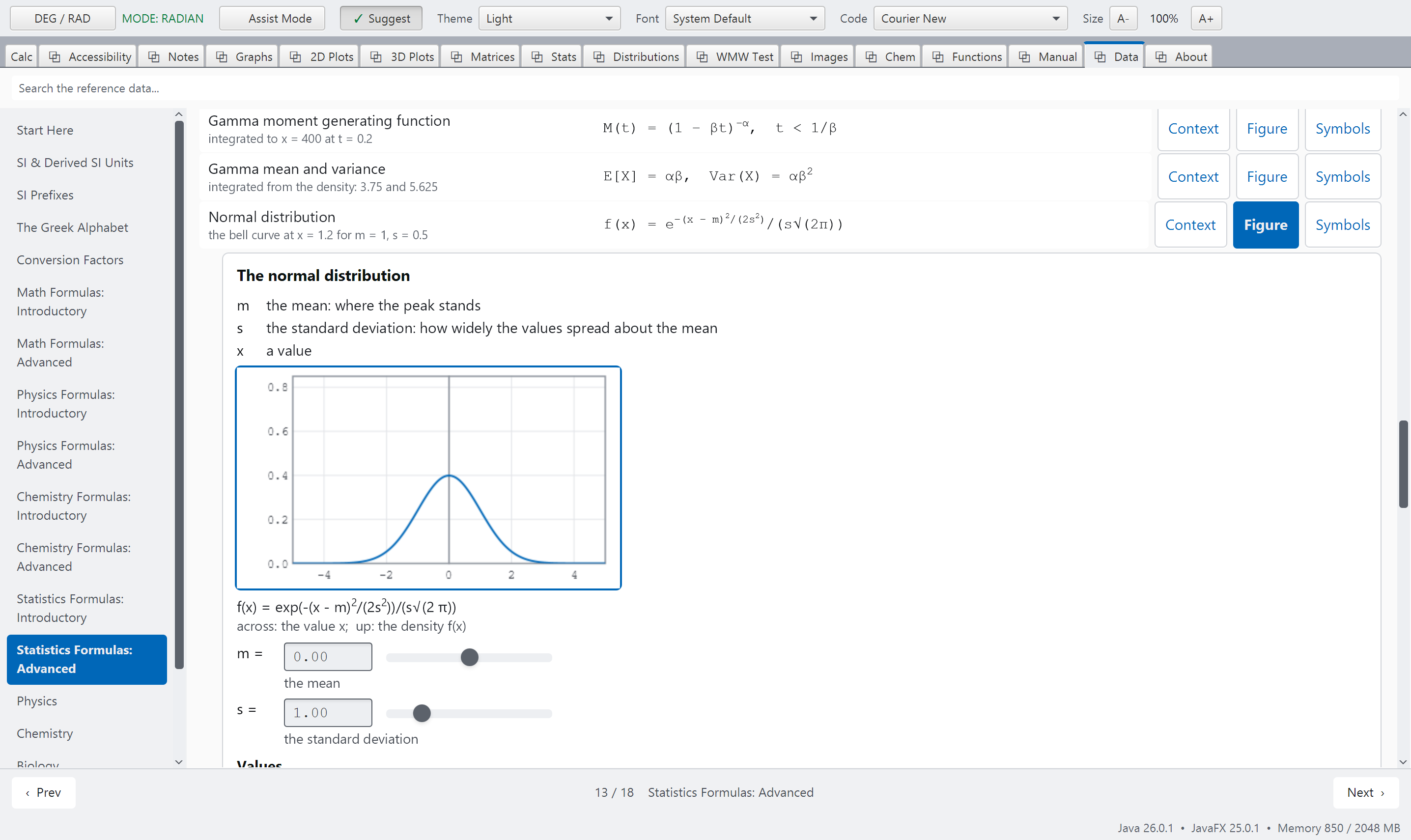
formulas-statistics.pngA formula page of the Data tab with one row's figure open. See SCREENSHOT-BRIEF.md, Part B.