The Calc tab
In both editions
The standard calculator. Type expressions, define variables and functions. It is your home base.
Whole numbers stay exact, however large
An ordinary calculator stores a number in a fixed number of binary digits, so past 2^53 it can no longer tell one whole number from the next: add 1 and the display does not change. Here whole-number arithmetic is exact, and the answer is printed in full, every digit, on the result line. Once a number runs past ten digits, a second line gives the same answer in scientific notation, as a reading aid and never a warning.
This is the classic floating-point trap, in which adding 1 changes nothing. Here the odd number arrives intact, written out whole, with the scientific reading underneath for judging its size at a glance.
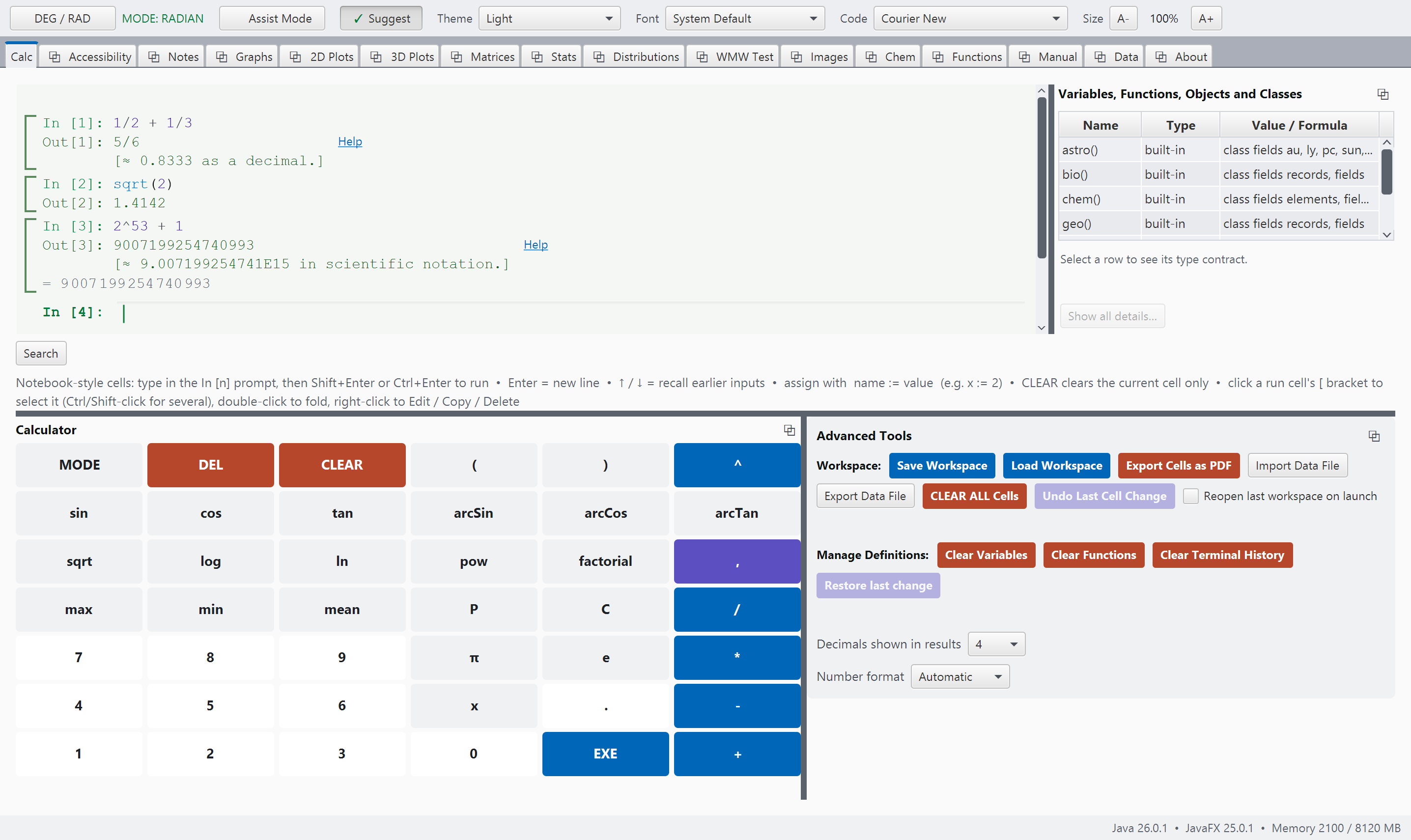
calc.pngCalc: an exact fraction, a decimal, and an advisory line.
Not only the answer
A calculator that can show its working
The working, i.e., the steps between the question and the answer, is what a student is graded on, and it is what a calculator usually hides.
Ask any calculator for one half plus one third and it gives 0.8333. The exercise, however,
was about finding the common denominator. Therefore, this system keeps exact fractions as
fractions, and steps() returns the working that produced them, written the way
a student is asked to write it.
The steps shown are the real ones. steps() records the same computation
that produces the answer, so the last line of a trace is always what the bare expression
itself would have given. When there is no written work to show (a decimal calculation has
none), the trace reports that there is none.
Exact fractions, row reduction and long division
Three kinds of calculation produce a written method: exact fraction arithmetic, row
reduction, and polynomial long division. Row reduction names each operation the way a
textbook does, e.g., R2 - 1*R1, and the grid stays exact at every stage. Long
division shows one trial term at a time.
The trace is text, and print writes its lines out as shown. The first line says what is being traced, the middle lines are the working, and the last line is the answer a bare expression would have given. Note that 1/3 is exactly one third (it is never rounded to 0.3333), and it stays exactly one third through every calculation it enters.
The conversion also goes the other way, so a decimal from a table can be turned back into the fraction the lesson is about.
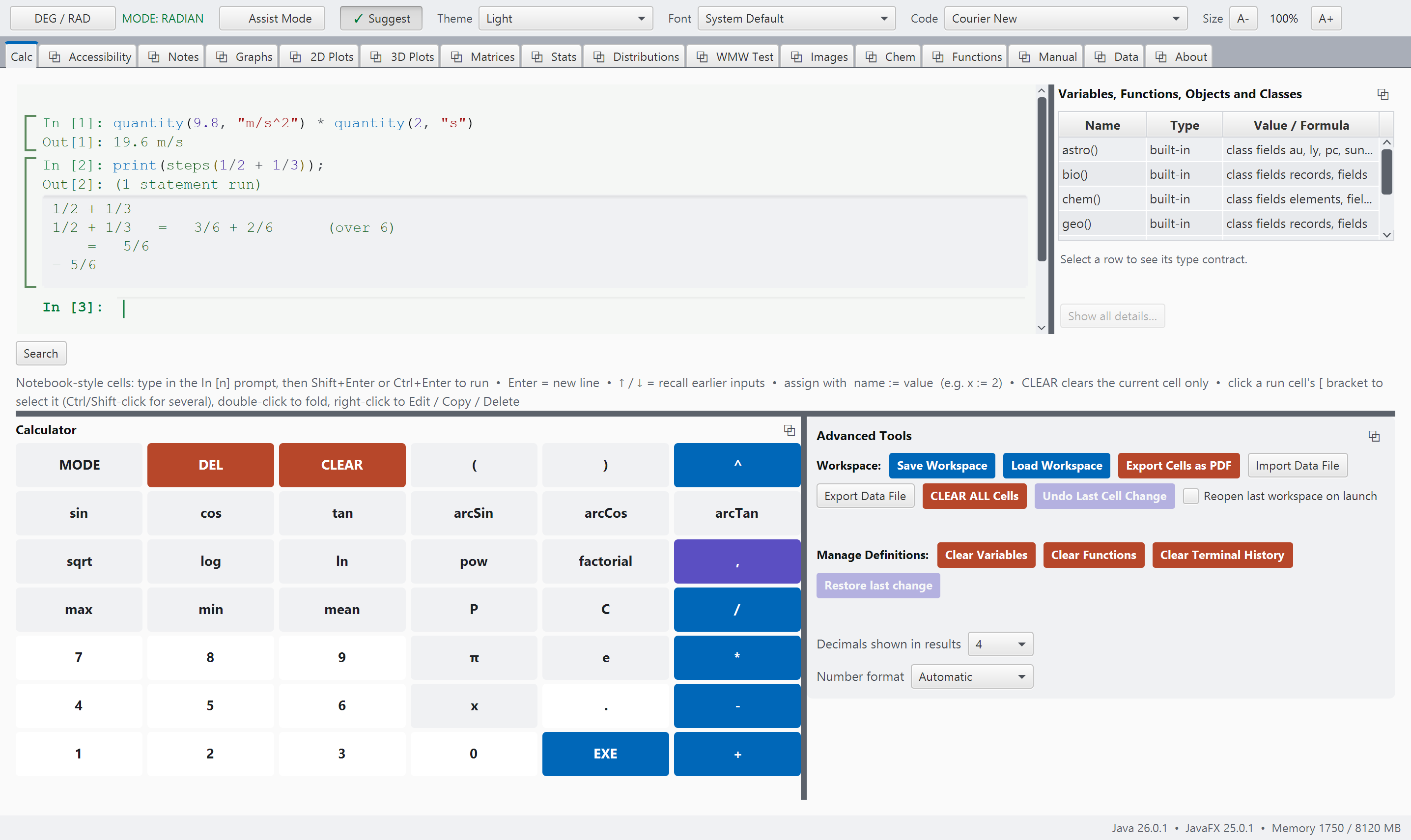
steps.pngCalc, a steps() trace with the common-denominator line on screen. See SCREENSHOT-BRIEF.md, Part B.
Quantities carry their units
A quantity carries its unit. Every quantity is converted to SI units when it is entered and stays in SI units, so the discipline taught in a physics classroom (convert in, compute, convert out) is built into the arithmetic. Multiplying and dividing combine the units for you, like quantities cancel to a plain number, and adding meters to seconds gives an error message instead of a meaningless number.
Force times distance is energy, and the unit is worked out for you. Feet and meters add because they measure the same thing. The conversion is exact, so two feet is stored as exactly 381/625 m even though the answer line shows the decimal.
Temperature is handled with extra care, since 0 °C is 273.15 K. A temperature reading is a point on the scale and a temperature change is a difference between two points, and they follow the algebra a thermometer teaches: two readings subtract to give a change, and a reading plus a change is a reading. Two readings are never added, and a reading is never multiplied by a number.
The answer is ten kelvin of difference, and the word difference is part of the answer. A calculator that does not make this distinction produces a wrong physics answer without any warning.
Typed in, answered back
Every example here has been run and tested.
These are not merely illustrations; they are carefully verified examples drawn directly from the system's own reference. Every example is automatically tested, and the build will stop if even one result has changed unexpectedly. That gives us something important as teachers and scientists: a reliable connection between what we see in the manual and what the system actually does. When an example is included here, you can trust that it has been tested and works as described.
Exact by default, tolerant when you ask
Comparison is exact, so a square root squared answers 0 rather than pretending otherwise: a function's answer is a double rounded at its last digit, and its square lands a hair from 2. The decimals you type are worked to 34 digits, so 0.1 + 0.2 == 0.3 is 1. approx is the tolerant twin, for a number that came out of arithmetic rather than off a keyboard.